Behind the Symptom
Seven field notes on why a Business Central and SQL Server estate slows down or breaks, and how to find the layer that actually owns the problem: diagnosis, baselines, indexes, upgrades, alerting, recovery and readiness. Each with its film, the checks to run this week, and the Microsoft sources.
- Editions
- 7
- Written by
- Neeraj Kumar
- Published
- 7 of 7
- Running
- October 23, 2026 — October 23, 2026
New to the series? Start with the overview, The system behind the symptom: the whole argument in one read, then each idea in depth below.
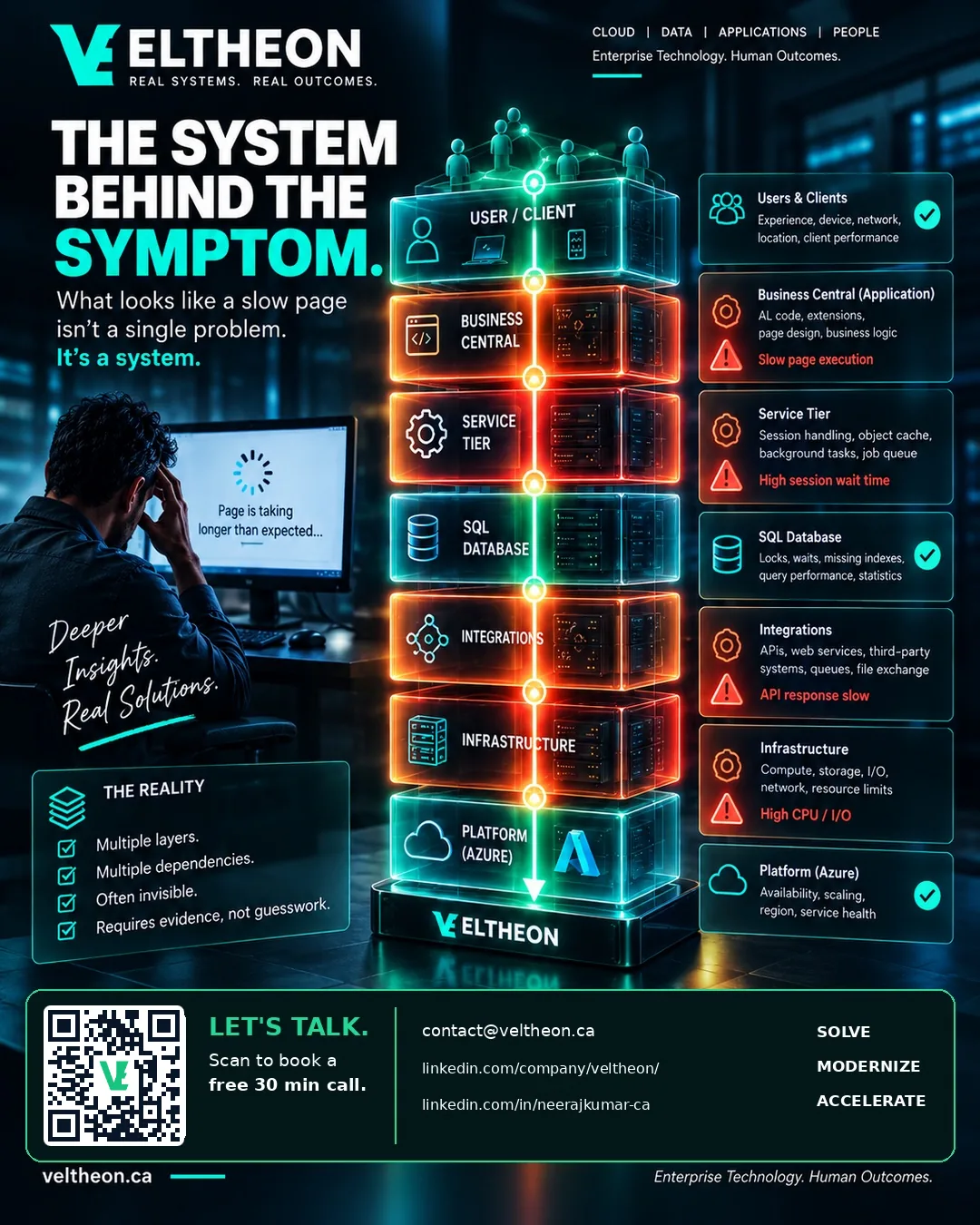
No. 01 A slow page is a symptom. Find the layer that owns it.
"Business Central is slow" is one sentence with several possible owners: the AL code, the service tier, a query plan, a lock, the storage under it or an integration. How to tell which one, using telemetry the platform already emits.
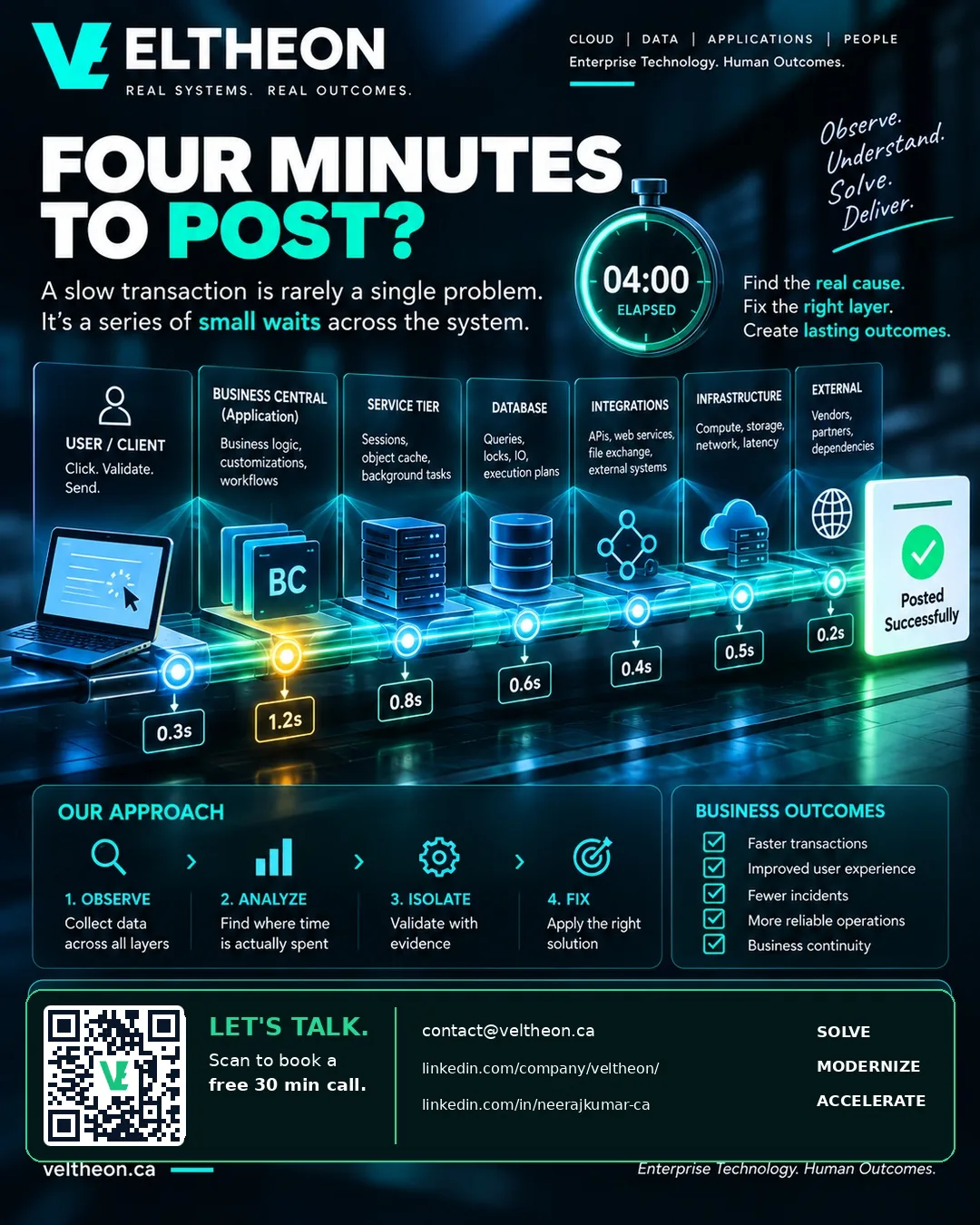
No. 02 Four minutes to post: why a baseline beats a memory
"It used to be quicker" is not a number. The cheapest useful thing most Business Central estates are missing is a dated record of how long the few operations the business actually feels take, and how to keep one.
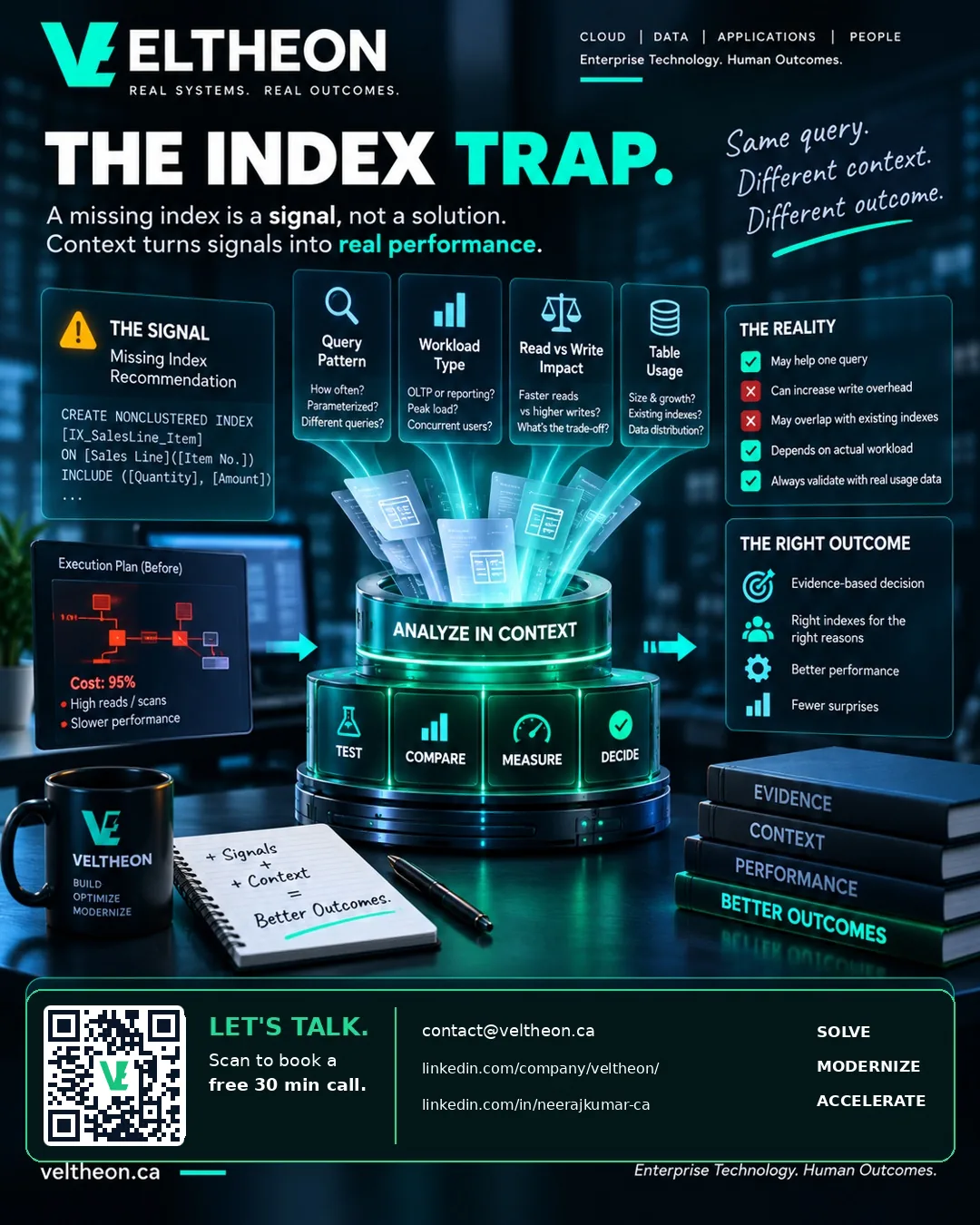
No. 03 The index trap: the indexes you are still paying for
Every index speeds up some reads and slows down every write, forever. The question is rarely "which index is missing" and more often "which of these are we still paying for and no longer using".
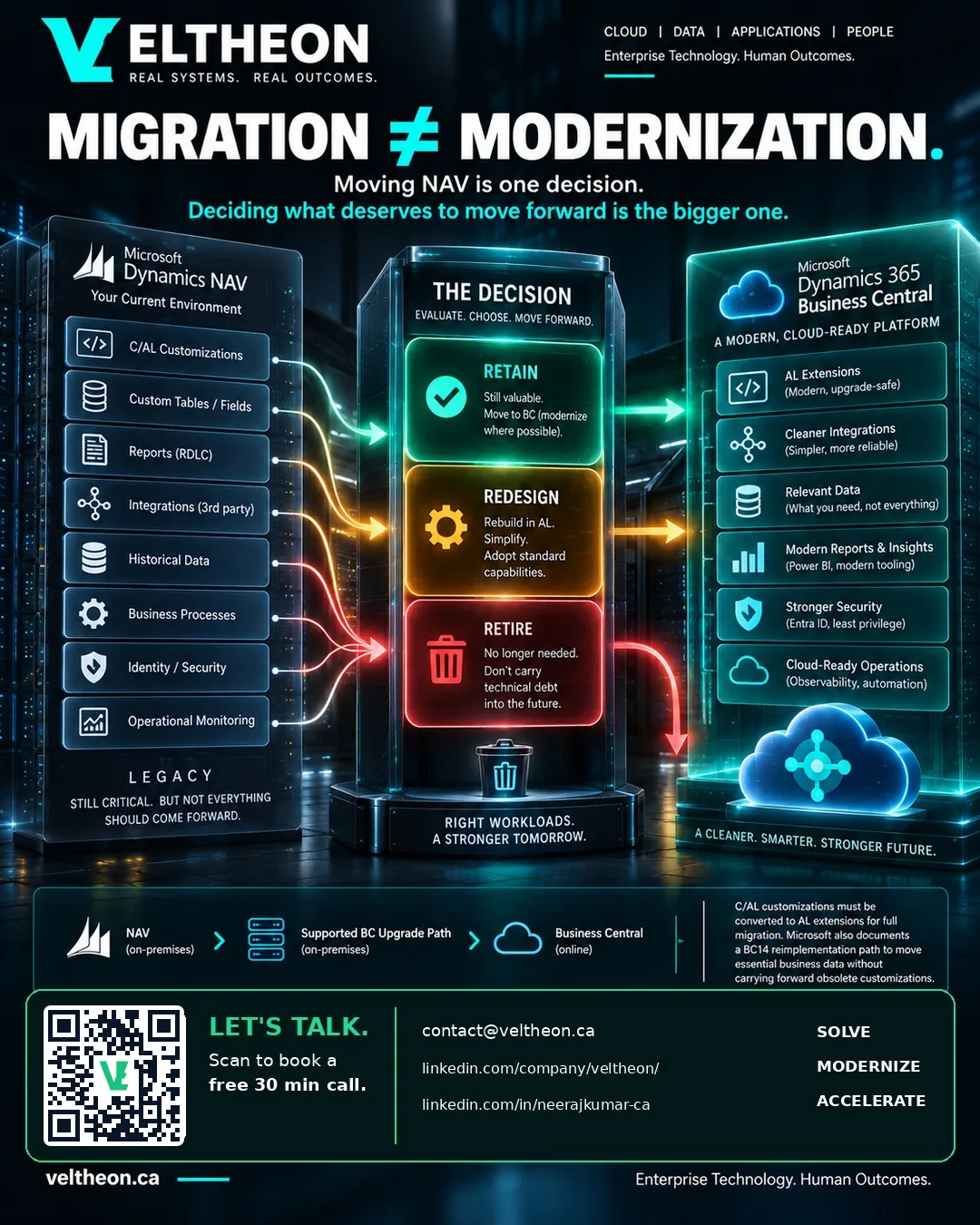
No. 04 Migration is not modernization: know which project you are buying
Moving Dynamics NAV to Business Central can mean moving what you have, or changing how it works. Both are defensible. Paying modernization prices for a migration, or expecting modernization results from one, is not.
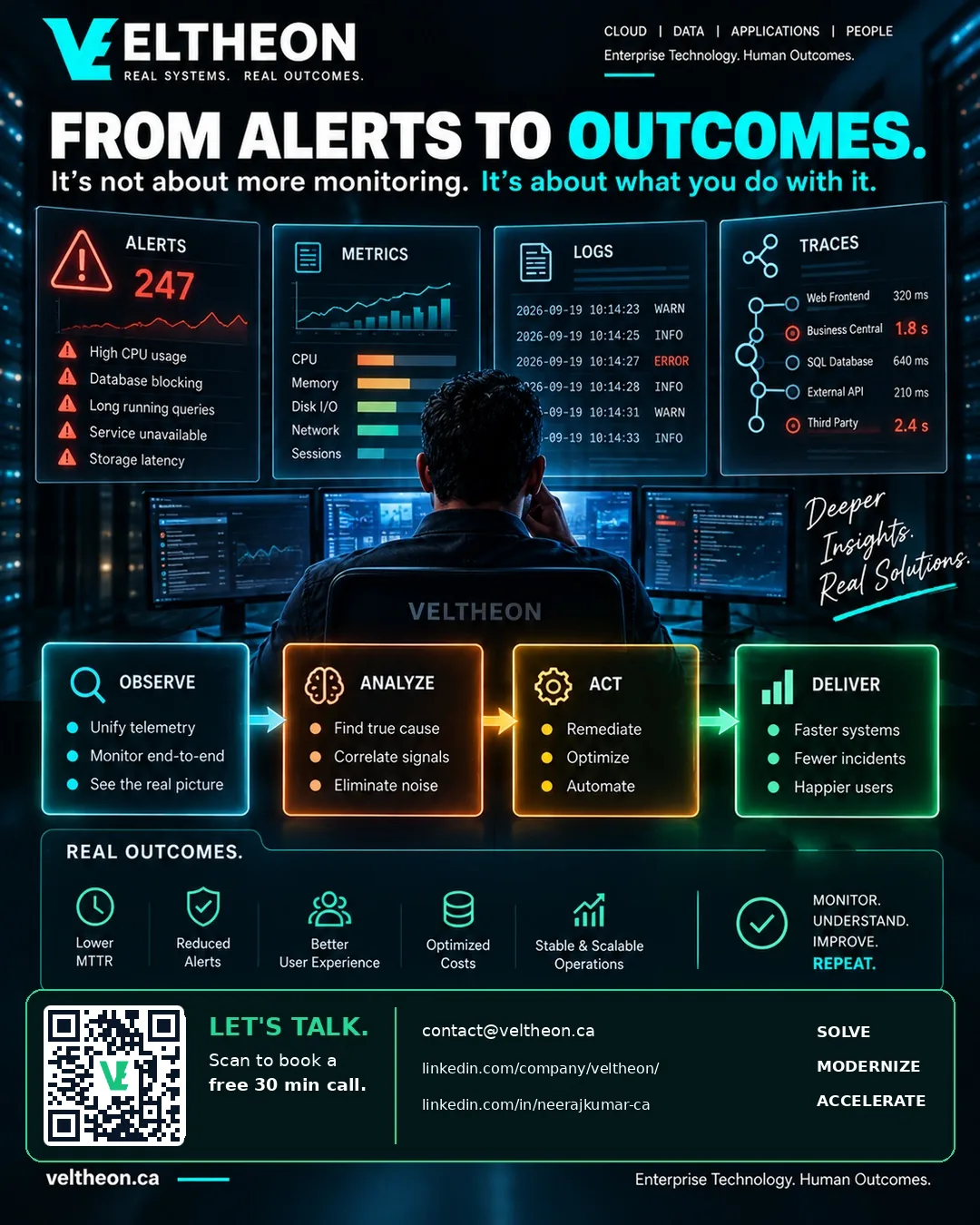
No. 05 From alerts to outcomes: an alert is a promise that someone acts
If a team has learned to ignore an alert, that alert is not monitoring. Alert fatigue is a design problem, and the fix is fewer alerts that are each actionable, owned and rare enough to mean something.
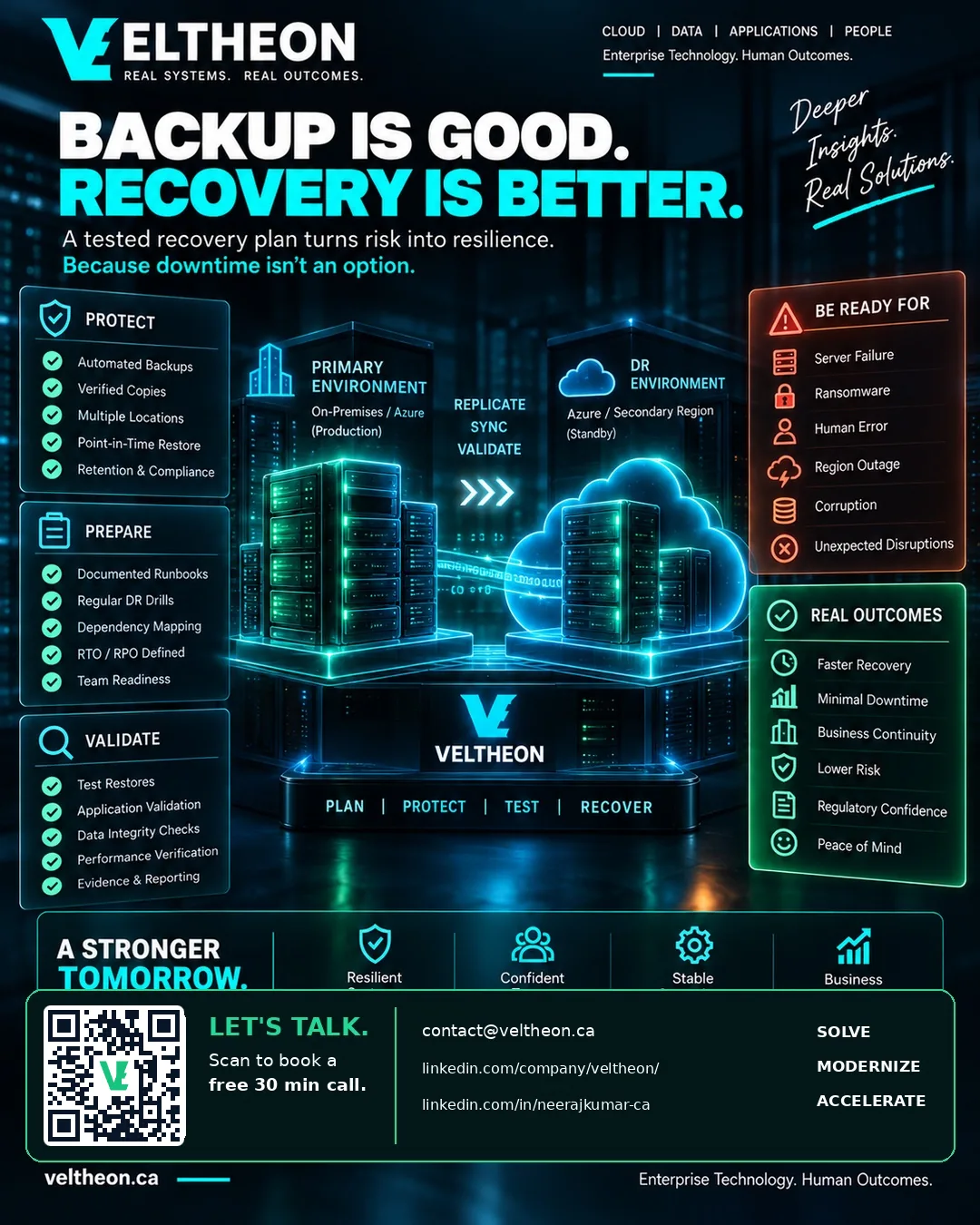
No. 06 Backup is good. Recovery is better.
A backup that has never been restored is a hypothesis. Nearly every estate has backups; far fewer have a restore that has been run, timed and watched. What to check, on SQL Server and on Business Central online.
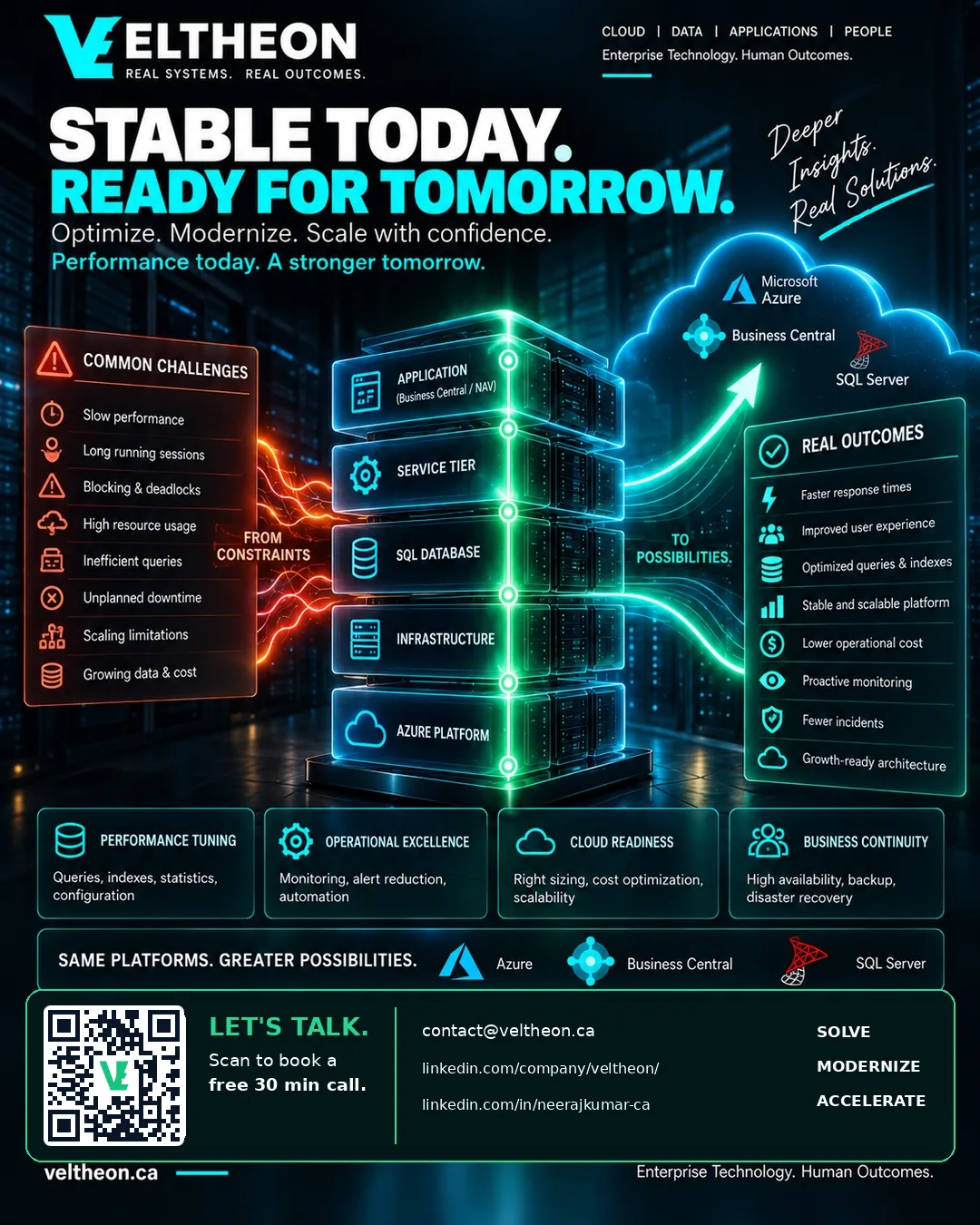
No. 07 Stable today, ready tomorrow
Stability is not the absence of incidents. It is knowing where you would look: the cause findable, the baseline recorded, the indexes accounted for, the alerts acted on and the restore rehearsed. And it is what makes the next change safe.
Want this applied to your stack?
The Discovery Audit starts with a free 30-minute discovery call — we tell you honestly whether an audit is warranted before anyone commits a dollar.
Learn about the Discovery Audit